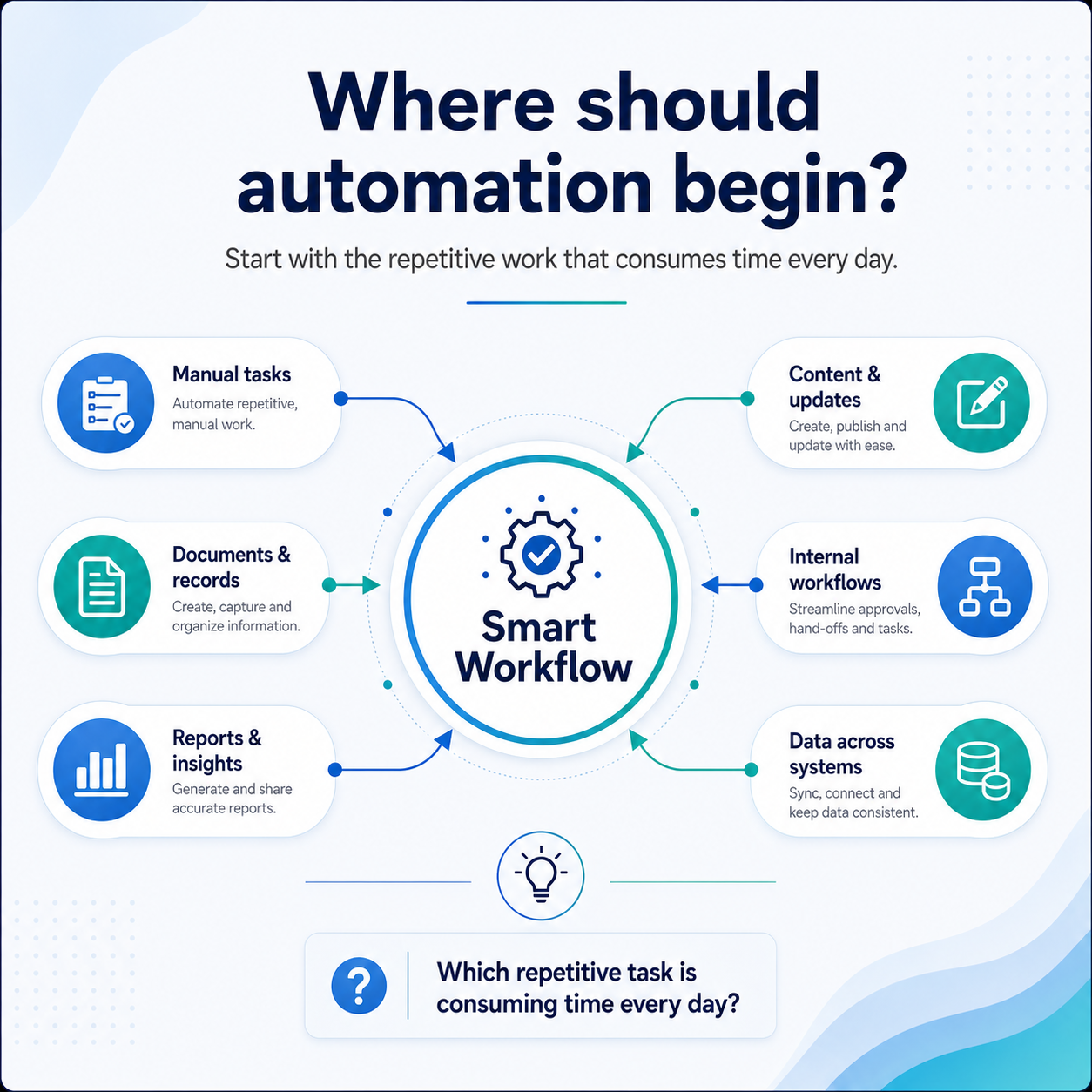
Business automation often begins with a simple question: which part of this process should no longer require someone’s time every day?
Over the past few months, one pattern has appeared repeatedly in conversations with businesses from very different industries. Their customers, services and internal processes may be different, but the challenge is often the same: their teams are spending too much time on repetitive work.
In one business, someone may be manually following up with every new lead. In another, a team member may be collecting information from several systems to prepare a weekly report. Elsewhere, employees may be processing documents, updating records, publishing website content, replying to routine enquiries or transferring information between platforms.
None of these tasks seems especially difficult on its own. However, when the same work is repeated every day, it consumes valuable time and pulls people away from customers, important decisions, problem-solving and growth.
This is where business automation can create meaningful value—not by removing people from the process, but by reducing the repetitive work surrounding them.
What Is Business Automation?
Business automation is the use of software, system integrations, artificial intelligence and workflow tools to complete repetitive or predictable business activities with less manual effort.
It can help information move between systems, trigger actions, prepare documents, send reminders, update records and maintain a consistent process.
IBM’s overview of business automation explains how automation can help organisations streamline workflows and reduce repetitive work.
The objective is not simply to introduce more technology. It is to improve how work moves through a business.
Sometimes, the right solution is a completely new custom software platform. In other situations, greater value can be created by improving the systems a company already uses through integrations, intelligent workflows and practical automation.
Why Repetitive Work Becomes a Business Problem
A manual process may not appear to be a serious issue when it takes only a few minutes.
The problem begins when the same process is repeated several times a day, by multiple employees, across different systems.
A missed follow-up can result in a lost opportunity. An incorrectly entered invoice can create an accounting issue. A delayed approval can hold up an entire project. A report prepared from outdated information can lead to a poor decision.
Repetitive work can also make a business overly dependent on individual employees remembering what to do next.
Business automation helps create a more structured process. It can ensure that information is captured, responsibilities are assigned and the next action happens at the right time.
7 Business Automation Opportunities Worth Exploring
1. Content Publishing Automation
Publishing useful website content involves more than writing an article.
A team may need to identify a topic, prepare the content, create an image, add headings, include SEO details, format the article, upload it to WordPress and send it for approval.
A content workflow can manage many of these steps automatically. It can prepare a draft, generate a relevant image, add basic SEO information and place the article inside WordPress for review.
A person can still check the accuracy, tone and quality before anything is published. The repetitive preparation work, however, can be reduced significantly.
This type of business automation is useful for companies that want to keep their websites active but do not have the time to manage every publishing step manually.
2. Invoice and Document Processing
Many businesses receive invoices, purchase orders, forms and other documents through email.
Someone may need to open each message, download the attachment, read the document, identify important details and transfer the information into an accounting or ERP system.
A document-processing workflow can identify relevant emails, read attached files, extract the required information and prepare it for the appropriate system.
Technologies such as OCR and AI-powered document processing can identify details including invoice numbers, supplier names, dates, totals and payment information. Google Cloud’s Document AI documentation provides an example of how unstructured documents can be converted into structured information.
Human review can remain part of the workflow before the data is approved. This reduces repetitive data entry while maintaining control over important financial information.
3. Lead Management and Follow-Ups
New enquiries can arrive through websites, emails, social media, advertising platforms, online directories and messaging applications.
Without a structured process, someone must manually collect the enquiry, add it to the CRM, assign it to the correct person and remember when to follow up.
A lead workflow can capture the enquiry, update the CRM, notify the appropriate team member and schedule the next action. It can also trigger a reminder when a lead has not received a response within a defined period.
The goal is not to replace the salesperson or account manager. It is to make sure valuable opportunities are not lost because of missed administrative steps.
4. Automated Reports and Business Insights
Preparing reports is another common source of repetitive work.
A manager may need to collect information from spreadsheets, dashboards, project-management tools, sales platforms or different departments before creating a useful summary.
A reporting workflow can bring this information together automatically and organise it into a consistent daily, weekly or monthly report.
Instead of spending hours collecting and formatting data, management teams can focus on understanding what the information means and deciding what action should be taken.
Business automation can also help ensure that reports are prepared using the same structure and data sources each time.
5. Internal Workflows and Approvals
Many internal processes involve several people and multiple approval stages.
Examples include employee onboarding, project handovers, purchase approvals, leave requests, document reviews, customer onboarding and compliance checks.
When these processes are managed through emails, messages and spreadsheets, tasks can easily be delayed, forgotten or assigned to the wrong person.
A structured workflow can assign responsibilities, update statuses, send reminders and move the process forward once each stage has been completed.
Microsoft Power Automate is one example of a workflow automation platform that can connect applications and automate business processes.
For more specific or complex requirements, a custom workflow can be developed around the organisation’s existing systems and approval rules.
6. Data Synchronisation Between Systems
Many businesses use different platforms for sales, accounts, operations, customer support and reporting.
When these systems are not connected, employees may need to copy the same information from one platform to another.
This creates unnecessary work and increases the risk of duplicate, missing or inconsistent data.
An integration workflow can move information between systems automatically. For example, a confirmed website order could update the CRM, create a record in the accounting system and notify the operations team.
Business automation can help each system remain updated without requiring someone to repeat the same data entry across multiple platforms.
7. Customer Onboarding and Support
Customer onboarding often involves a predictable sequence of activities.
A business may need to send a welcome email, collect documents, create a customer account, assign an internal team member, schedule a meeting and provide access to relevant resources.
A workflow can trigger these actions once a new customer is approved.
Customer support processes can also be improved. Enquiries can be categorised, directed to the correct department and prioritised based on their subject or urgency.
Routine questions may receive an immediate acknowledgement, while complex or sensitive issues are passed to a person.
This allows technology to manage the predictable steps while the team remains responsible for the actual customer relationship.
Business Automation Should Support People
The purpose of automation is not to remove people from every process.
Important decisions, negotiations, customer relationships, creative thinking, sensitive communication and accountability still require human involvement.
Technology is most effective when it manages the repetitive steps surrounding these activities.
It can collect information, move data, prepare documents, organise tasks, send reminders and maintain consistency. People can then focus on judgement, quality, relationships and decisions.
The strongest workflows usually combine automation with clear human review points.
An invoice may be extracted automatically but approved by an accountant. An article may be prepared automatically but reviewed by an editor. A support request may be categorised automatically but handled by an experienced employee.
This balance allows a business to improve efficiency without losing control.
How to Identify a Business Automation Opportunity
Businesses often begin by asking:
“Where can we use AI?”
A better starting point may be to examine the process itself.
Which tasks are repeated every day? Where is information being copied manually? Which reports take hours to prepare? Where do approvals become delayed? Which steps depend on someone remembering what to do next?
It is also useful to look for processes that regularly create errors, missed follow-ups, duplicated work or inconsistent results.
The best business automation opportunity is not always the most technically advanced one. It is the one that solves a genuine operational problem and creates a clear improvement for the people using it.
A small, frequently repeated process can sometimes provide more value than a large and complicated transformation.
Does Business Automation Require New Software?
Not necessarily.
Many businesses can improve their operations by connecting the tools they already use.
A website can be connected to a CRM. A CRM can be connected to an email platform. An accounting system can receive data from invoices. A reporting dashboard can collect information from multiple databases or applications.
These connections may be created through APIs, webhooks, third-party automation platforms or custom integrations.
New software may be required when the existing systems cannot support the workflow, when the process is highly specific or when the business requires greater control, security and scalability.
The right approach depends on the existing technology, the complexity of the process and the organisation’s long-term requirements.
How We Help With Business Automation
At Stalwart Info, we help businesses identify where business automation can reduce repetitive work, improve consistency and connect disconnected systems.
We begin by understanding the current process: what is being performed manually, where delays occur, which tools are already being used and where human judgement must remain part of the workflow.
Depending on the requirement, the solution may involve connecting existing software through APIs, introducing an automation platform, adding AI or OCR capabilities, or developing custom software around the process.
We can support businesses with document and invoice processing, CRM and lead workflows, automated reporting, customer onboarding, internal approvals, website content workflows, data synchronisation, third-party integrations and custom business software.
Not every project requires replacing an existing system. In many cases, practical business automation can be added around the tools a company already uses, allowing information to move more efficiently while keeping important decisions under human control.
A small pilot can also be developed around one clearly defined process. The workflow can then be tested with real users and improved before it is expanded to other departments, locations or business functions.
Adapting to the Way Work Is Changing
Technology will continue to evolve, and the way businesses operate will continue to change with it.
We may not be able to predict every new tool, platform or capability that will appear. However, businesses can continue learning, adapting and improving the way work is completed.
The objective should not be to automate everything simply because the technology exists.
It should be to identify where technology can genuinely make work simpler, faster and more consistent.
The most useful question may not be:
“Where can we use AI?”
It may be:
“Which process is consuming time without genuinely requiring human judgement?”
That is often where business automation—and a smarter workflow—should begin.
Frequently Asked Questions About Business Automation
What is business automation?
Business automation uses software, integrations, artificial intelligence and workflow tools to complete repetitive or predictable activities with less manual effort. It can be used for document processing, reporting, follow-ups, approvals, reminders, data entry and communication between systems.
Which business process should we automate first?
Begin with a process that is repeated frequently, follows reasonably clear rules, consumes significant employee time or regularly creates delays and errors. A smaller high-volume process is often a better starting point than attempting to automate an entire department.
Does business automation require completely new software?
No. Existing websites, CRM systems, ERP platforms, accounting tools and third-party applications can often be connected through APIs or automation platforms. Custom software may be required when the workflow is unique, complex or unsupported by the existing tools.
Can business automation work with our existing CRM or ERP?
In many cases, yes. The possibilities depend on whether the system provides API access, database access, webhooks, imports, exports or other integration options. A technical review can determine the safest and most practical approach.
Can invoices and PDF documents be processed automatically?
Yes. OCR and AI-powered document tools can extract information such as invoice numbers, dates, supplier details and totals. Human approval can remain part of the workflow before the information is finalised or entered into an ERP system.
Will automation replace employees?
The purpose of practical automation is to support people, not simply replace them. Technology can manage predictable administrative steps while employees continue handling decisions, relationships, exceptions, sensitive situations and accountability.
Is business automation suitable for a small business?
Yes. Small businesses often benefit because repetitive administrative work consumes a significant portion of a smaller team’s time. Even one well-designed workflow can improve consistency and allow employees to focus on higher-value work.
How long does a business automation project take?
The timeline depends on the complexity of the process, the number of systems involved, the available integrations and whether custom development is required. A simple workflow may take a few days, while a larger solution involving several systems may require multiple weeks.
Can we begin with a small pilot?
Yes. Beginning with one defined process allows the workflow to be tested using real data and real users. It can then be improved before being expanded across the organisation.
Can an automated workflow be changed later?
Yes. A well-designed workflow should be flexible enough to evolve with the business. New users, systems, approval rules, reporting requirements and process stages can be added over time.
Ready to Explore Business Automation?
A smarter workflow does not have to begin with a large digital transformation. It can begin with one everyday task that should no longer require the same manual effort.
Is a repetitive process consuming your team’s time?
Share the current steps with us, and we can help determine whether the process can be simplified through system integration, workflow automation, artificial intelligence or custom software development.